

Overview of the upgrade process to SharePoint 2013
There are effectively two ways of moving to SharePoint 2016, and each involves a slightly different process. These are:
Upgrading from SharePoint 2013. In this scenario you create a new SharePoint Server 2016 farm, then copy the content and service application databases from SharePoint 2013. This upgrades database schema versions to 2016.
Upgrading from SharePoint 2010 or an earlier version. This is a slightly more complicated approach because you can’t upgrade straight from SharePoint 2010 or earlier to SharePoint 2016. Your options are to either use a third party tool, or build one or more temporary “migration” farms running older versions of SharePoint. For example, if you were upgrading from SharePoint 2010 you would build a temporary SharePoint 2013 farm as part of your migration to SharePoint 2016.
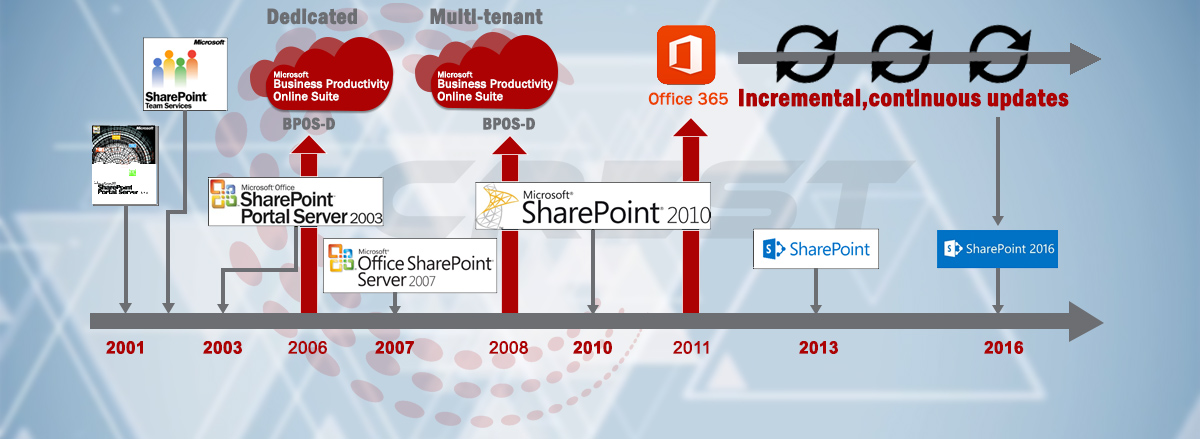
The scope of upgrading the existing DMS on SharePoint 2010 to the SharePoint 2016 includes but not limited to:
• Planning and Initiation
• Requirement Gathering and Analysis
• Design
Architecture and Solution Approach Design (HLD)
Strategy for Migrating SP 2010 to SP 2013
Strategy for Migrating SP 2013 to SP 2016
• Pre-Migrate
SP 2013 SP 1 eval Development Environment Setup
SP 2013 Development Environment Basic Configuration
Data and Content migration to SP 2013, Content Migration (Backup, Restore & Attach)
• Pre-Migrate
SP 2016 Development Environment Setup
SP 2016 Development Environment Basic Configuration
Data and Content migration from SP 2013 to SP 2016
• Migrate
Re-build Solutions from Existing SP 2010 Environment
Content Migration (Backup, Restore & Attach)
• Post Migrate
QA Testing
UAT
• Support and Warranty
• Training
• Post Production Support
• Documentation and User Manual Handover